 Sleep Sanity
How to use Sleep Sanity
Seven short steps from a fresh install to a week of nights you can read at a glance. Start with the plan, then let the taps do the rest.
Set your plan
Open Settings and set your Night 1 date under Training. That one date drives everything: the app counts nights from it, picks the age band for the master plan, and knows which check-in style tonight uses. If you are not starting the plan yet, leave it blank and just track.
- Night 1 date is the evening you start the plan, not the day you installed the app.
- You can change it later. The count simply moves.
Read tonight's plan
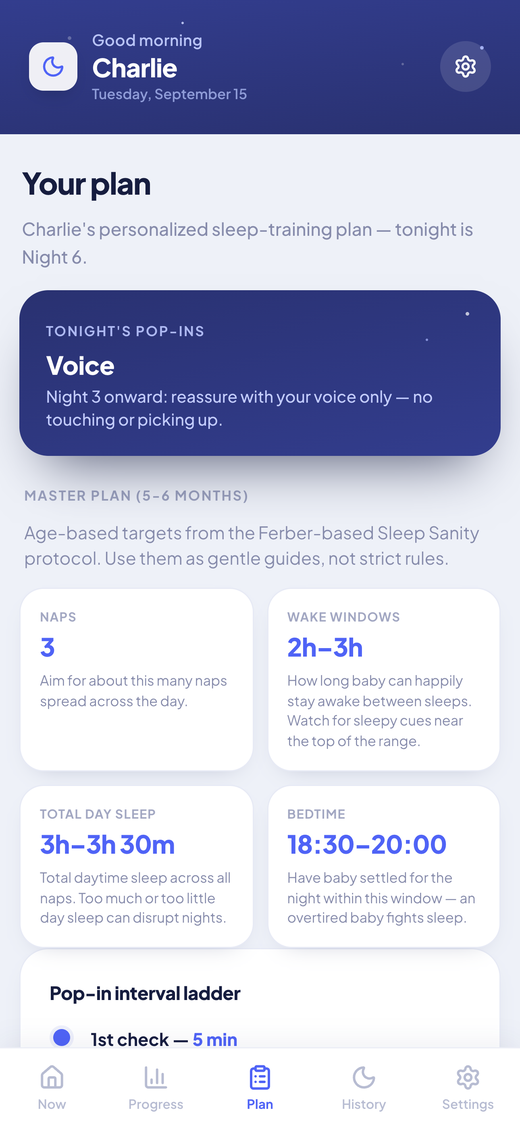
Before bedtime, open Plan. The top card tells you tonight's night number and the check-in style, voice only or touch only. Below it, the master plan for your baby's age band lists naps, wake windows, total day sleep and a bedtime window. The pop-in ladder shows the check-in intervals, so you are not doing arithmetic in the dark.
- These are gentle guides, not strict rules.
- The weaning card at the bottom is optional and for when you and your pediatrician are ready.
Log the night in one tap
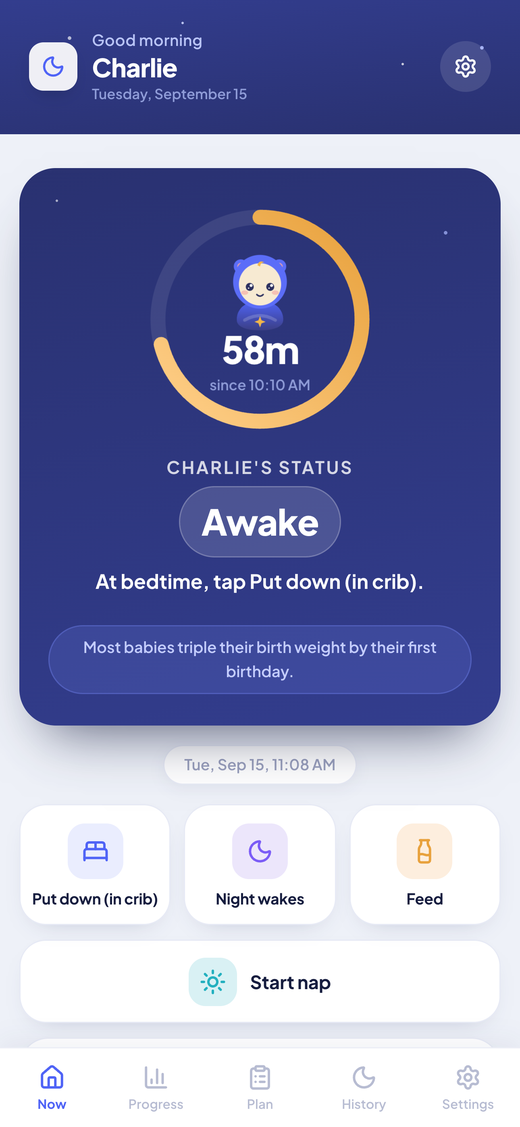
At bedtime tap Put down. When your baby drifts off tap Asleep, and the app records how long settling took. Each night wake is one tap, each feed is one tap. In the morning tap Wake up and the night closes. Bub in the ring shows the current state, and the status line under the ring says it in words.
- Every tap asks you to confirm, and Adjust lets you fix the time before you do.
- Too tired at 3am? Log nothing and backfill in the morning from History.
Track the day too
Tap Start nap when your baby goes down and Finish nap when they wake. The timer counts up so you always know how long it has been. In Settings you can turn on a bedtime reminder with a lead time, up to three nap reminders, and an optional Sunday summary.
- Naps and awake stretches show up on the same day card as the night.
- Reminders are on device notifications, no account needed.
Fix anything from History
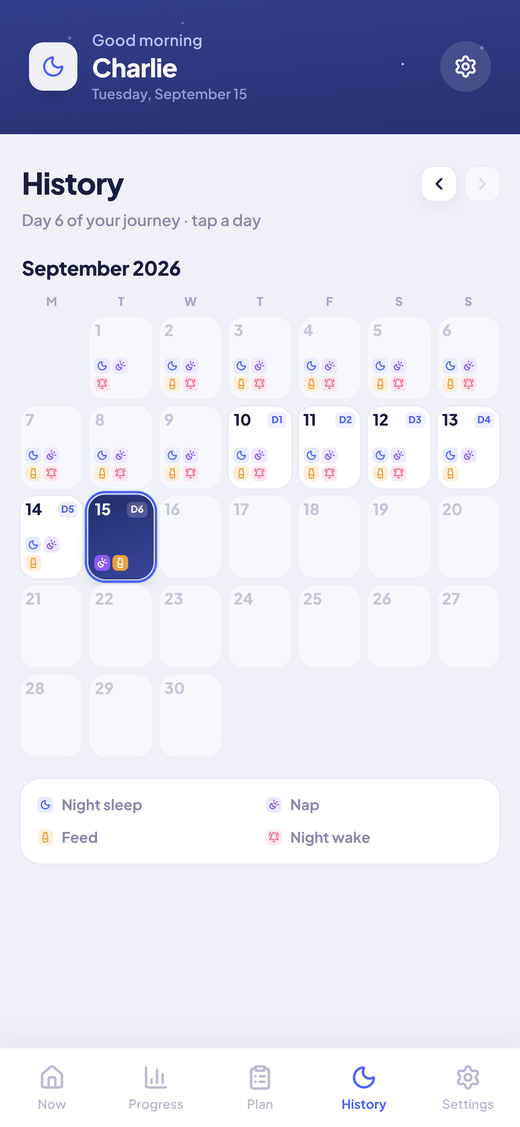
History is a calendar with a badge on each night of your plan and small icons for what you logged. Tap a day to see night sleep, naps, feeds and wakes as tickets. Every ticket has Edit and Delete, and you can add a missed nap or feed to any day.
- The day view is where you backfill after a rough night.
- Totals are done for you at the top of the day.
Check the trend, not just last night
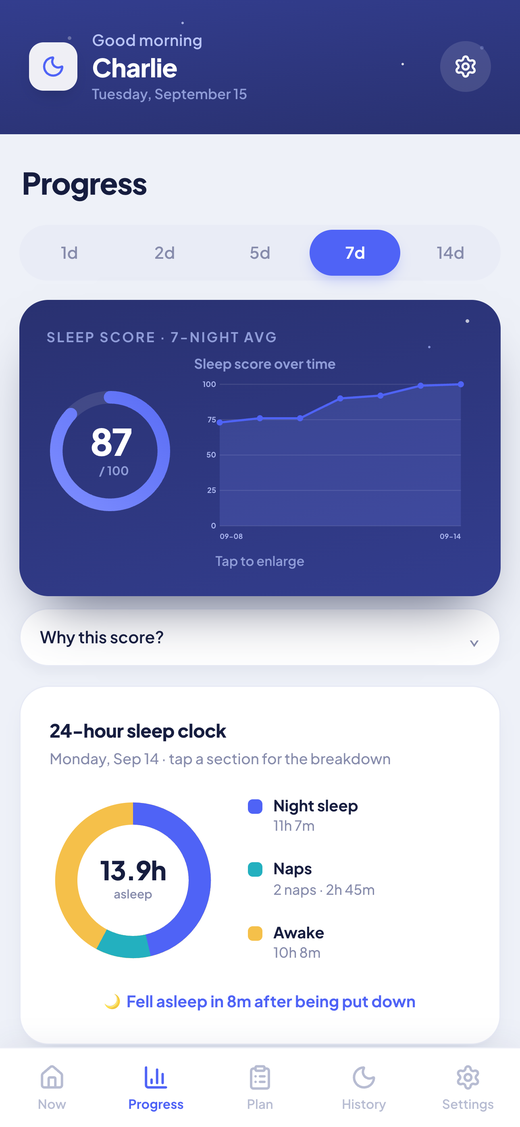
Each logged night gets a sleep score from 0 to 100, built from night sleep, longest stretch, wakes and crying time. Tap Why this score for the breakdown. The 7 and 14 day trend is the number that matters: it shows progress you cannot feel yet on night three. Set your own targets in Settings if a good night means something different for your family.
- Any chart fills the screen when you tap it.
- The 24 hour clock shows how the day split between night sleep, naps and awake time.
Bring in your partner
Sign in with Google or Apple, then send your partner an invite link from Sync. They sign in with their own account and both phones show the same logs about a second apart. Whoever is on duty tonight has the whole picture.
- Sign in is optional. Without it the app works fully and data stays on your phone.
- You can delete your account and all data from the same Sync screen.
Sleep Sanity is informational, not medical advice. Talk to your pediatrician before starting any sleep-training approach.
Ready for night one?
Set your Night 1 date in Settings and the plan takes it from there.

Free. No ads. No in app purchases.Or use it in your browser